

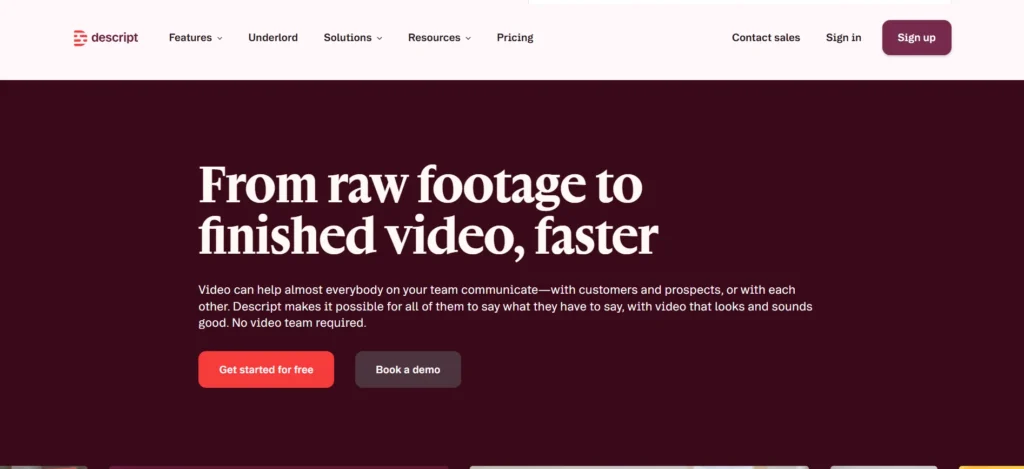
Descript’s whole pitch is that editing video should feel like editing a Google Doc, delete a word, delete that moment of footage. I spent real time on the platform this year testing whether that promise holds up for actual production work, not just quick demo clips.
What Descript Actually Is
Descript was founded in 2017 by Andrew Mason, the same person who founded Groupon and later built Detour, an audio walking-tour app acquired by Bose.
That audio-editing background shows up clearly in Descript’s DNA: the whole platform is built around the idea that transcripts, not timelines, should be the primary way you interact with recorded media.
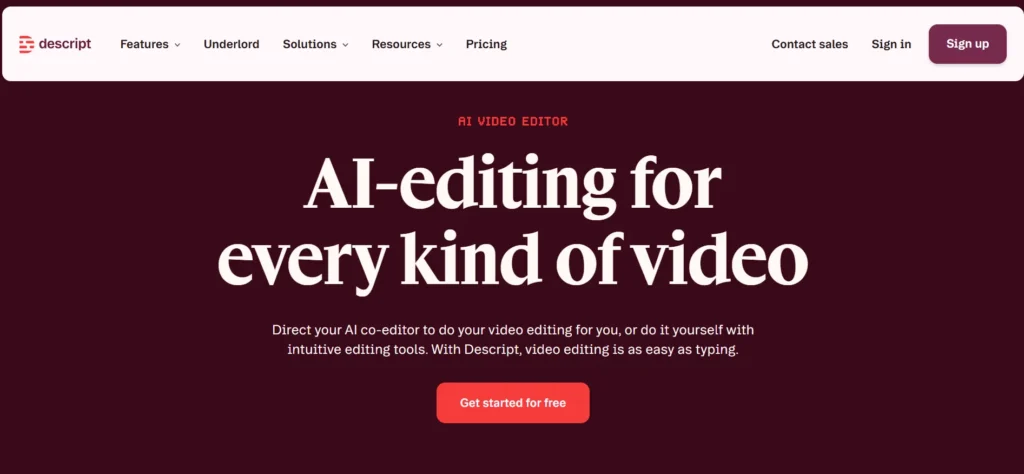
The company has raised over $100 million in funding, is headquartered in San Francisco, and now counts more than 6 million creators and teams as users, including Amazon, Canva, Salesforce, Shopify, Siemens, and the BBC.
Leadership changed hands in August 2025, when Mason stepped down as CEO and Laura Burkhauser took over.
On G2, Descript holds a 4.6-out-of-5 rating across 837 reviews, and it’s earned enough distinctions there that G2’s own users have effectively declared it an industry standard in the video and podcasting space.
The Core Idea: Text-Based Editing
Here’s the thing that actually makes Descript different from a normal NLE (non-linear editor) like Premiere or Final Cut: you edit by editing text. Record or upload media, Descript transcribes it automatically, and from there, deleting a word deletes that moment of footage, moving a sentence moves the corresponding clip. Filler words, dead air, and bad retakes get cut the same way you’d fix a typo.
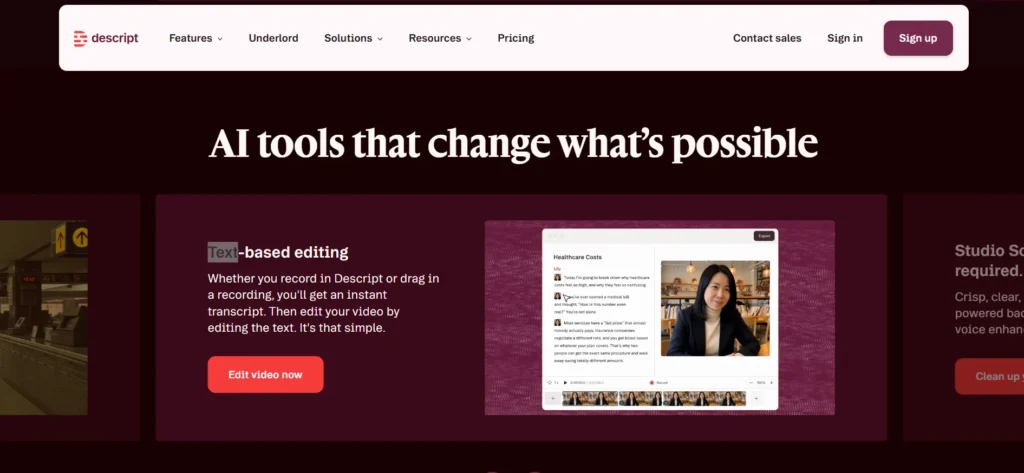
I tested this on both a scripted talking-head video and a messier, unscripted interview recording. On the scripted piece, it was genuinely as fast as advertised, I trimmed a 12-minute raw recording down to under 8 minutes in maybe 15 minutes of actual editing time, almost entirely by deleting text.
On the unscripted interview, transcription accuracy occasionally stumbled on cross-talk and overlapping speech, which meant a bit more manual cleanup than the marketing suggests. Still faster than timeline-scrubbing, just not instant magic.
Underlord: The AI Co-Editor
Underlord is Descript’s AI assistant, and it’s positioned as the platform’s biggest differentiator this year. Rather than just offering AI-powered individual tools, Underlord acts more like a collaborator you direct in plain language: tell it what you want, or ask it what you need, and it handles the execution. It can turn a raw recording into a tight cut in minutes, and it’s baked into the workflow at every stage, from initial editing through generating social clips.
In practice, Underlord is genuinely useful for a first pass, especially on repurposing tasks like finding the most quotable moments in a long interview for social clips. It’s less reliable as a full replacement for human judgment on nuanced editorial decisions, tone, pacing choices that depend on audience knowledge Underlord doesn’t have. Treat it as a fast collaborator, not an autopilot.
Studio Sound and Audio Cleanup
Studio Sound is Descript’s one-click AI audio cleanup tool, removing background noise and enhancing voice quality without needing a treated room or professional mic setup.
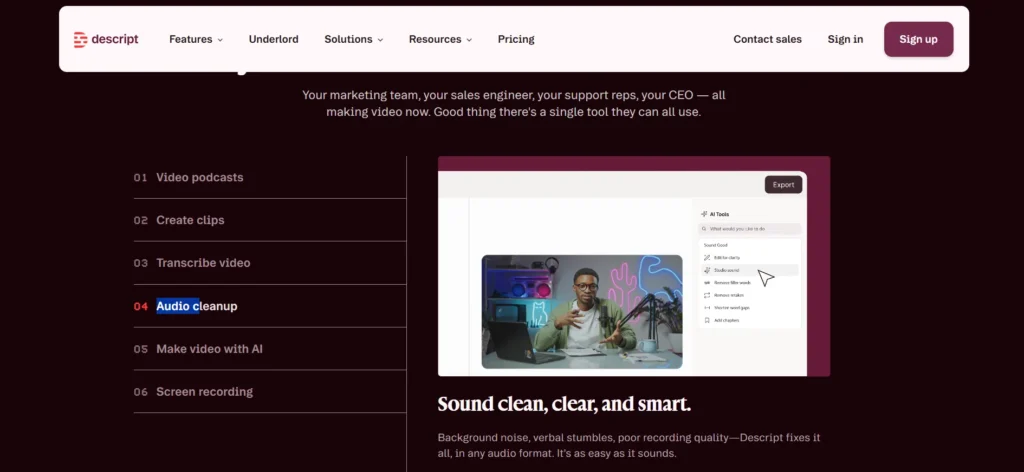
I tested it on audio recorded in a fairly echo-prone room, and the improvement was immediately noticeable, not perfect broadcast quality, but a meaningful step up that would’ve taken real manual EQ and noise-gate work otherwise.
Video Enhancement Tools
Beyond audio, Descript packs in several one-click video fixes: Eye Contact (subtly adjusts your gaze to look at the camera even if you’re reading off a script), automatic green screen removal without a physical green screen, and Automatic Multicam, which picks layouts and camera angles automatically for conversation-style recordings.
Regenerate lets you fix flubbed words in your own voice or video by essentially re-synthesizing the moment to match your original tone, genuinely useful for catching a mispronunciation without a full reshoot.
Rooms: Remote Recording
Rooms is Descript’s remote recording feature, letting you record high-quality podcast or video conversations with guests anywhere, similar in concept to Riverside or SquadCast.
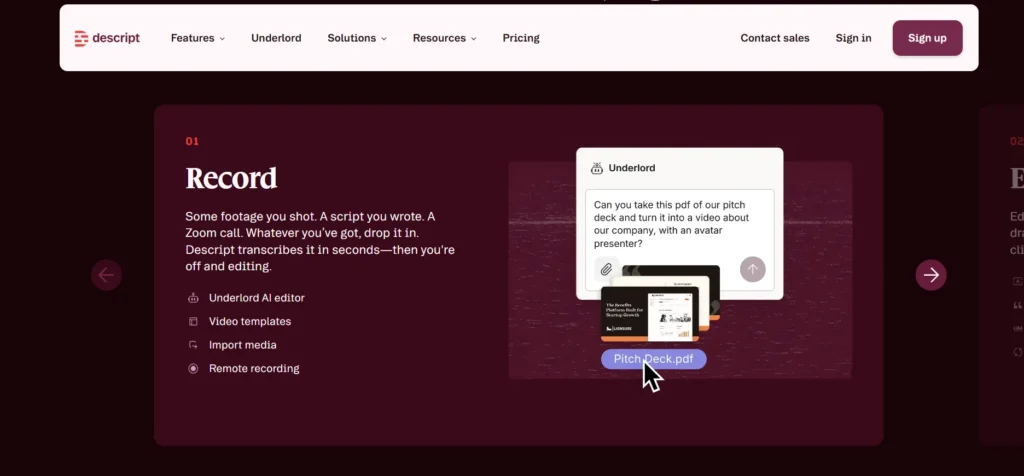
Each participant records locally for quality, with automatic cloud backup, and sessions import directly into your Descript project already transcribed. Control Room producer roles let someone manage recording start/stop without appearing in the final cut, useful for podcast production teams running a more structured show.
Generating Media: Video, Voice, and Images
If you’re missing B-roll or need supplementary visuals, Descript can generate video, voice audio, music, and images directly from a prompt, blending them with your existing footage. AI Speech includes custom voice cloning and stock AI voices for text-to-speech narration.
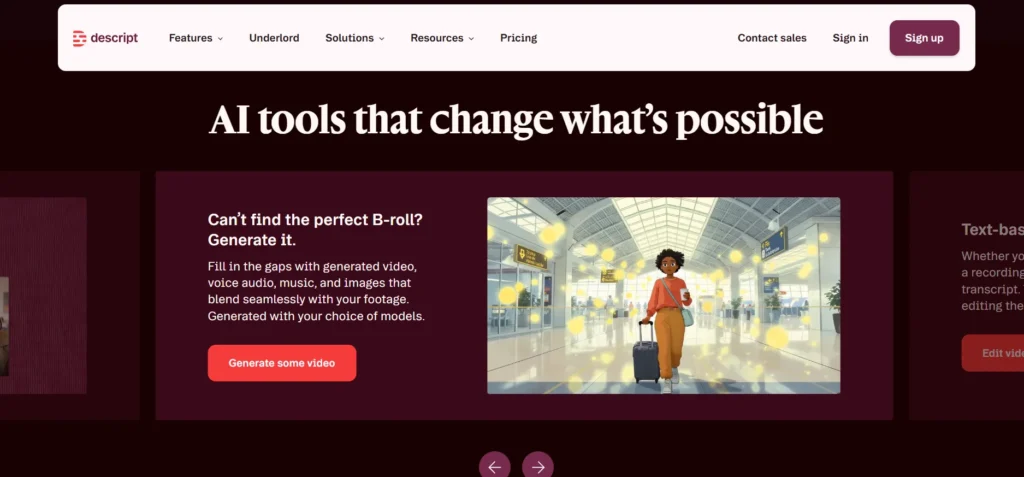
I found the generated B-roll genuinely useful for filling small gaps, though it’s clearly generated rather than indistinguishable from real footage, worth knowing if you need something that has to pass as authentic captured video.
Multiplying Your Content: Clips and Translation
Once you have a finished piece, Descript’s “Multiply” tools handle repurposing: automatic clip generation for social platforms, translation into dozens of languages (translation covers 61 languages for captions, dubbing covers 30), and an API plus MCP integration for editing video through code or from inside another AI assistant.
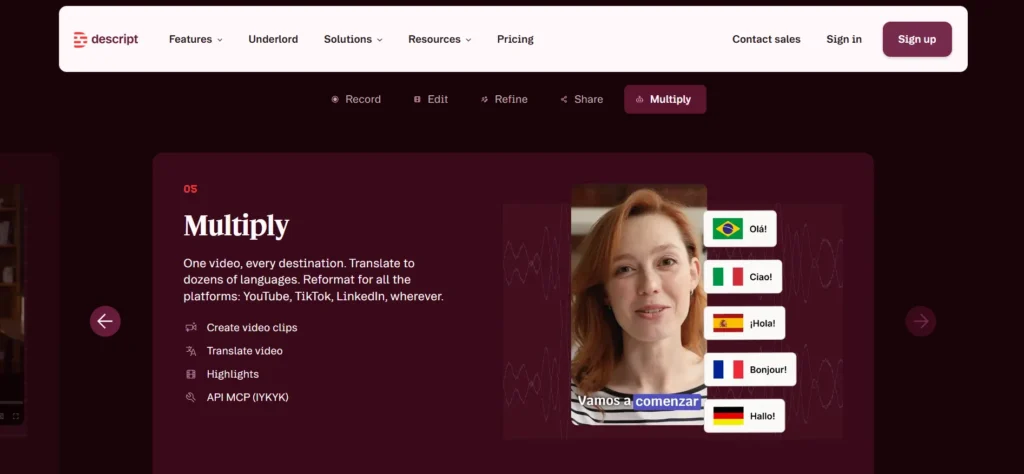
For teams producing long-form content and needing to slice it into platform-specific social cuts regularly, this genuinely saves the hours that used to go into manual re-editing for each platform.
Enterprise Security and Team Features
For larger teams, Descript is SOC 2 Type II certified, supports SAML SSO and SCIM provisioning, and is GDPR compliant, with admin controls over users, permissions, and separate content drives. Case studies on Descript’s own site cite Cloudinary reducing post-production time by up to 50%, Algolia saving 116 hours of production time, and HubSpot doubling their content output, genuinely substantial claims, though naturally company-reported rather than independently audited.
Templates: A Real Head Start
Descript ships with pre-built video templates aimed at common formats, social clips, talking-head intros, tutorial layouts, that jumpstart a project rather than starting from a blank timeline. Combined with Brand Studio (available on Business and Enterprise), teams can lock in consistent layout packs, fonts, and branding across everyone’s projects, which matters once more than one person on a team is producing video and you need visual consistency without a dedicated brand manager checking every export.
Screen Recording
Descript’s built-in screen recorder captures up to two screens simultaneously, useful for tutorial content, product demos, or software walkthroughs, and recordings drop directly into your project already set up for text-based editing, the same workflow as any other imported media.
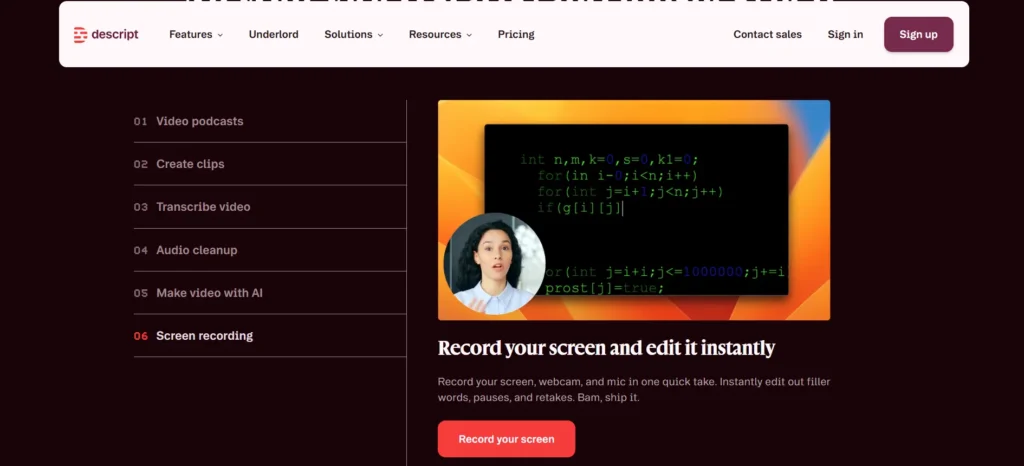
For teams making regular how-to or onboarding content, this removes a separate screen-capture tool from the stack entirely.
Community and Learning Resources
Beyond the product itself, Descript runs an active community and a “Learn Descript” resource hub with tutorials covering everything from basic cuts to advanced Underlord prompting.
There’s also a public changelog and feature request board, letting users see what’s shipping and vote on what they want built next, a level of visible product transparency that’s genuinely useful if you want to gauge how actively a tool is being developed before committing budget to it.
Descript also runs an affiliate program and periodic hackathons internally, one in mid-2026 reportedly shipped 70 product updates in 48 hours, a signal of how quickly the team iterates.
Who Descript Is Actually Built For
Descript’s sweet spot is unmistakable: podcasters, YouTubers, marketing teams making explainer or promo video, and businesses producing regular talking-head or interview-style content. If your work leans toward complex, effects-heavy narrative filmmaking, you’ll eventually want a traditional NLE alongside it.
But for the enormous and growing category of businesses now expected to produce video content regularly, sales teams, customer success, internal comms, marketing, Descript’s entire design removes the need for a dedicated video editor on staff.
Media Hours and AI Credits, Explained
One thing worth understanding before you pick a plan: Descript meters usage two ways, media hours (how much recorded or imported footage you process each month) and AI credits (how much you use tools like Underlord, Studio Sound, and generated media).
These aren’t the same thing, and it’s easy to assume they scale together when they don’t. A short, AI-tool-heavy project might burn through credits fast while barely touching your media hour allowance, while a long unedited interview import does the reverse.
Both free plan and paid plans, allow purchasing top-ups if you run out mid-month rather than forcing an immediate plan upgrade, a reasonable safety valve for occasional overages.
How Descript Compares to Traditional Editors
If you’re coming from Premiere Pro or Final Cut, the honest comparison is this: Descript trades some fine-grained timeline control for dramatically faster turnaround on talking-head, interview, and podcast-style content specifically.
For a wedding videographer doing complex multi-layer color grading and effects work, a traditional NLE still makes more sense. For anyone producing regular talking-head video, podcasts, or interview-based content, the text-editing workflow genuinely changes how much you can produce in a given week.
Pros & Cons: Descript Review
Pros
- Text-based editing genuinely speeds up talking-head and interview-style video production
- Underlord handles first-pass edits and repurposing tasks well, saving real time
- Studio Sound delivers a real, noticeable audio quality improvement with zero manual EQ work
- Strong enterprise security: SOC 2 Type II, SSO/SCIM, GDPR compliance
- Genuinely usable free plan with no credit card required
- 4.6/5 rating across 837 G2 reviews, backed by real enterprise customer names
Cons
- Transcription accuracy drops on overlapping speech or heavy cross-talk, requiring manual cleanup
- Underlord is a strong first-pass tool but not a substitute for human editorial judgment on nuanced pacing decisions
- Generated B-roll and AI video, while useful for filling gaps, is visibly generated rather than indistinguishable from real footage
- Media hours and AI credits both cap out by plan tier, meaning heavy users will need to budget for top-ups
- Fine-grained, complex multi-layer editing still favors traditional NLEs over Descript’s timeline
FAQs: Descript Review
Is Descript actually free to use, or just a limited trial?
There’s a genuine Free plan with no credit card required. You get 60 minutes of media processing a month, one-time AI credits, and access to core editing tools, capped rather than crippled.
Do I need video editing experience to use Descript?
No. Since you edit by deleting words in a transcript, most people make usable cuts within minutes of starting, and the traditional timeline is still there if you want more granular control later.
How accurate is Descript’s automatic transcription?
Generally strong on clear, single-speaker audio, but accuracy drops with overlapping speech, heavy accents, or noisy environments, situations where you’ll want to manually review and correct the transcript before editing heavily off it.
Will videos edited with Descript’s AI tools look obviously AI-generated?
Descript’s stated goal is footage that looks like you shot it in the room, not visibly processed, and in my testing the subtler tools (Eye Contact, Studio Sound) achieved that well. More generative tools, like AI-created B-roll, are more visibly synthetic if you look closely.
Is Descript secure enough for enterprise use?
Yes. It’s SOC 2 Type II certified, supports SAML SSO and SCIM provisioning, and is GDPR compliant, with admin controls for permissions and content drives, genuinely enterprise-grade rather than a startup afterthought.
What file types can I bring into Descript?
Video, audio, or a recording from a call like Zoom, all import directly with automatic transcription, no separate conversion step required first.
Can I cancel my Descript subscription easily?
Yes, cancellation is self-serve from your subscription page, and you can also delete your account and permanently remove your data from Descript’s servers if you choose to.